

1Create a householder
Add someone in seconds
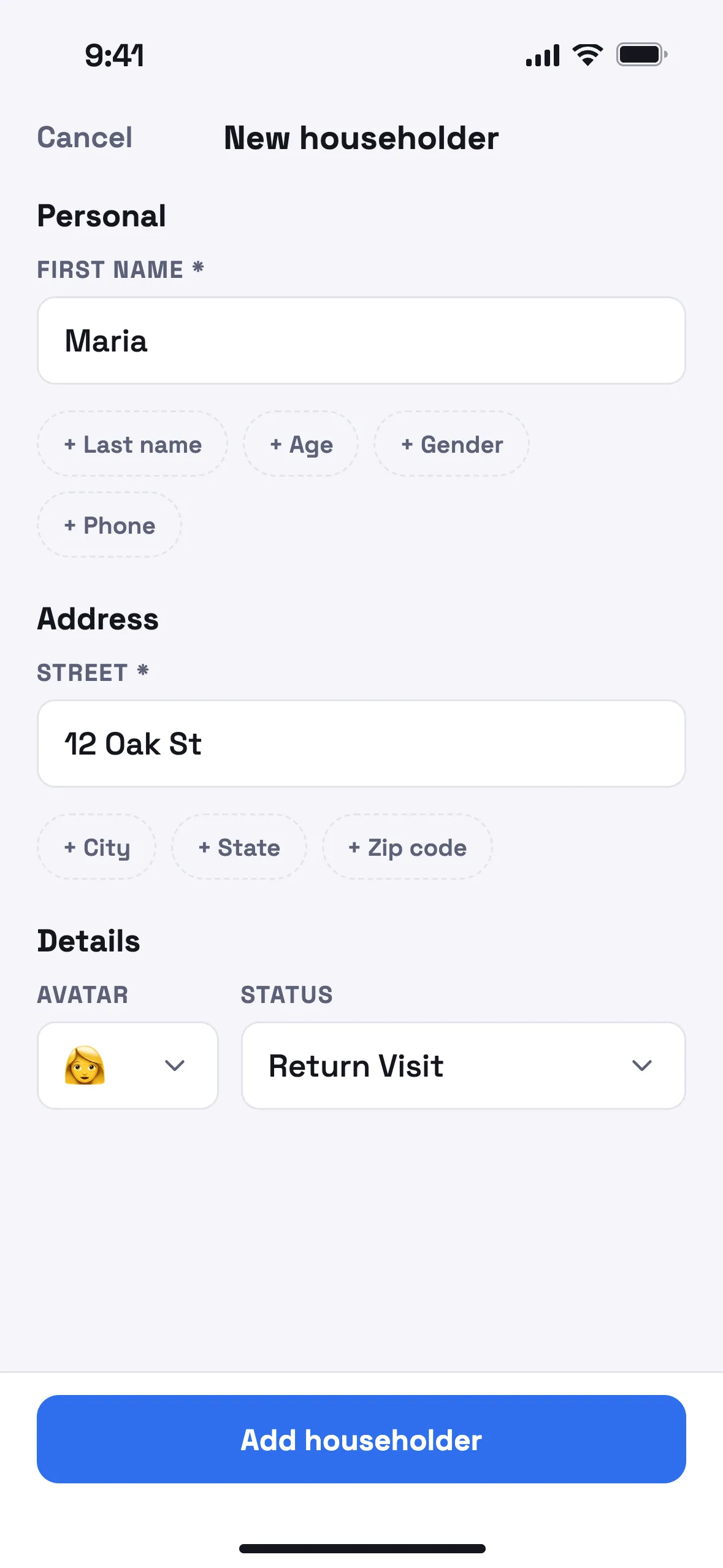
A name and a street is enough to start. Add the rest on the fly — last name, age, phone — and edit any detail later.
A ministry notebook for your phone
Householder keeps your return visits, notes, and follow-ups in one private place, so each visit picks up where the last one left off.
Launching soon · Free · A welcome, the launch email, and at most one reminder
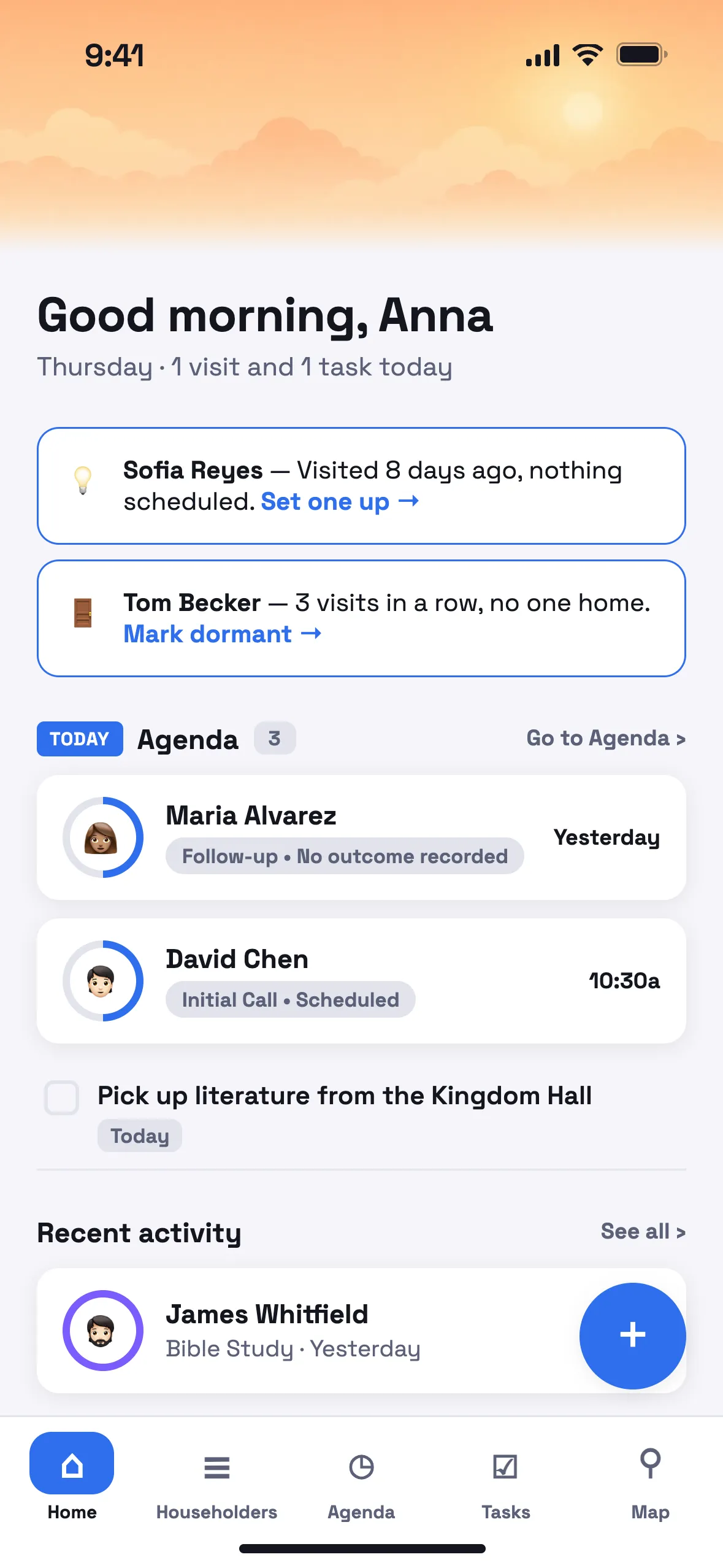
Three steps: add the householder, schedule the visit, keep the notes and tasks that follow. It's all there the next time you're in the neighborhood.
A name and a street is enough to start. Add the rest on the fly — last name, age, phone — and edit any detail later.
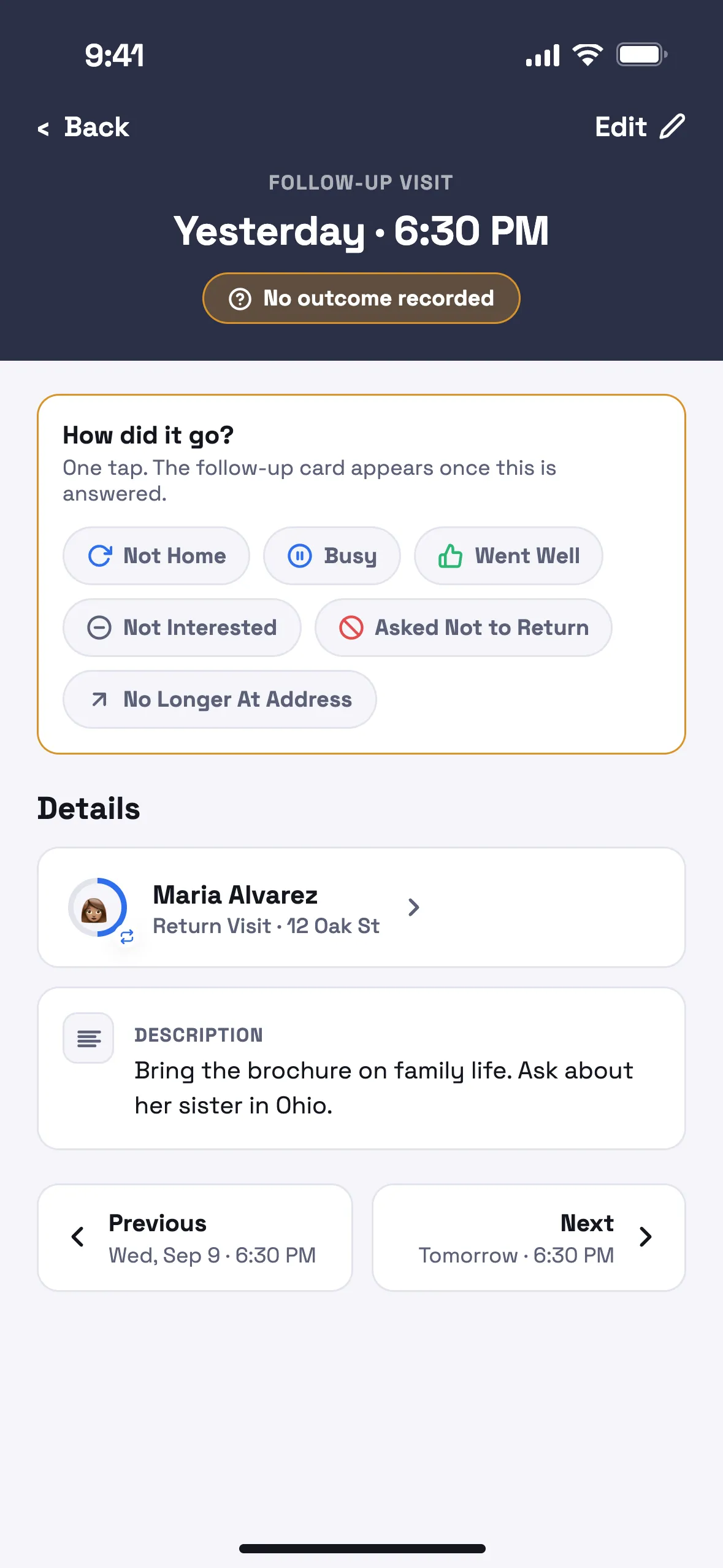
Pick a date and time in two taps, note what you hope to cover, then record how it went — home, not home, or a conversation worth returning to.
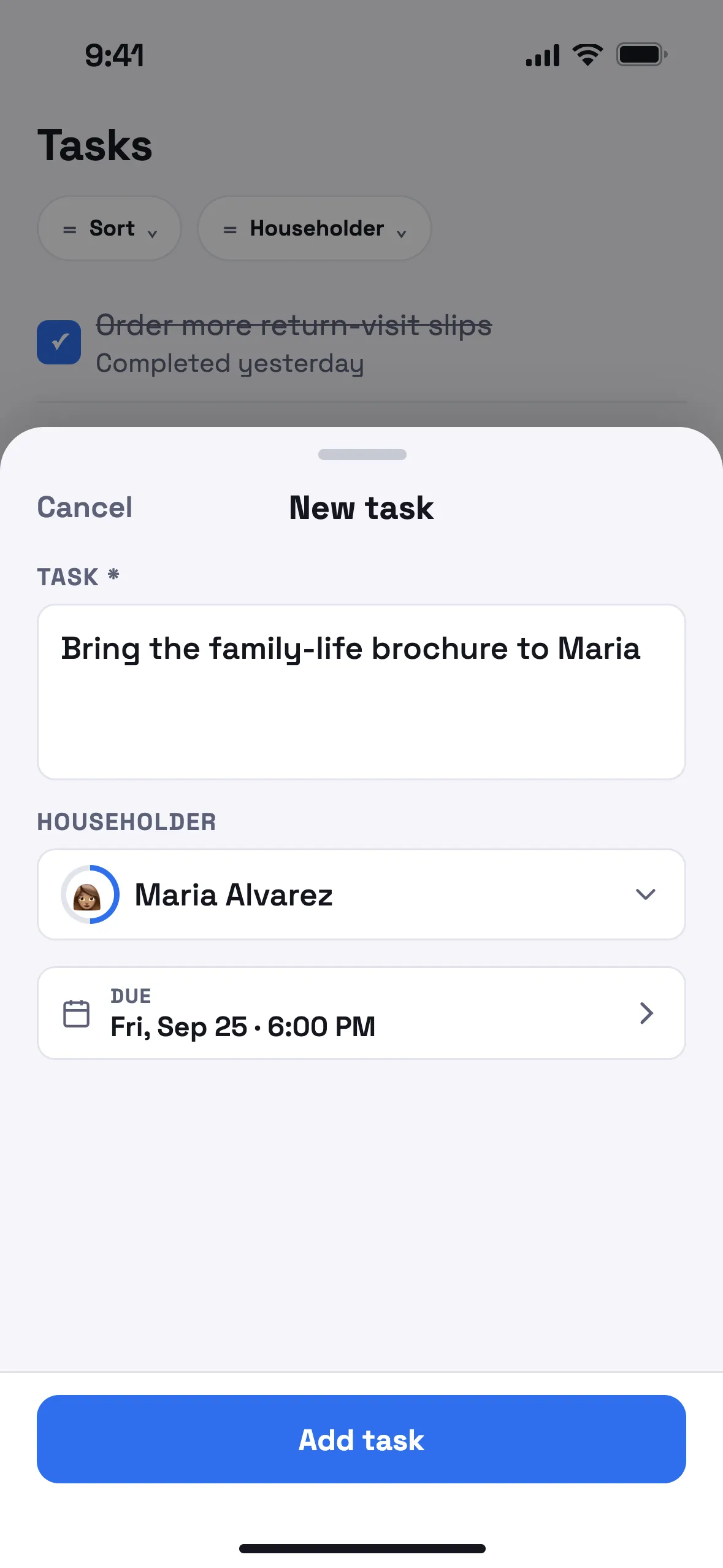
Add a note or a task from anywhere, attach it to the household or the visit, and edit or complete it with one tap when it's done.
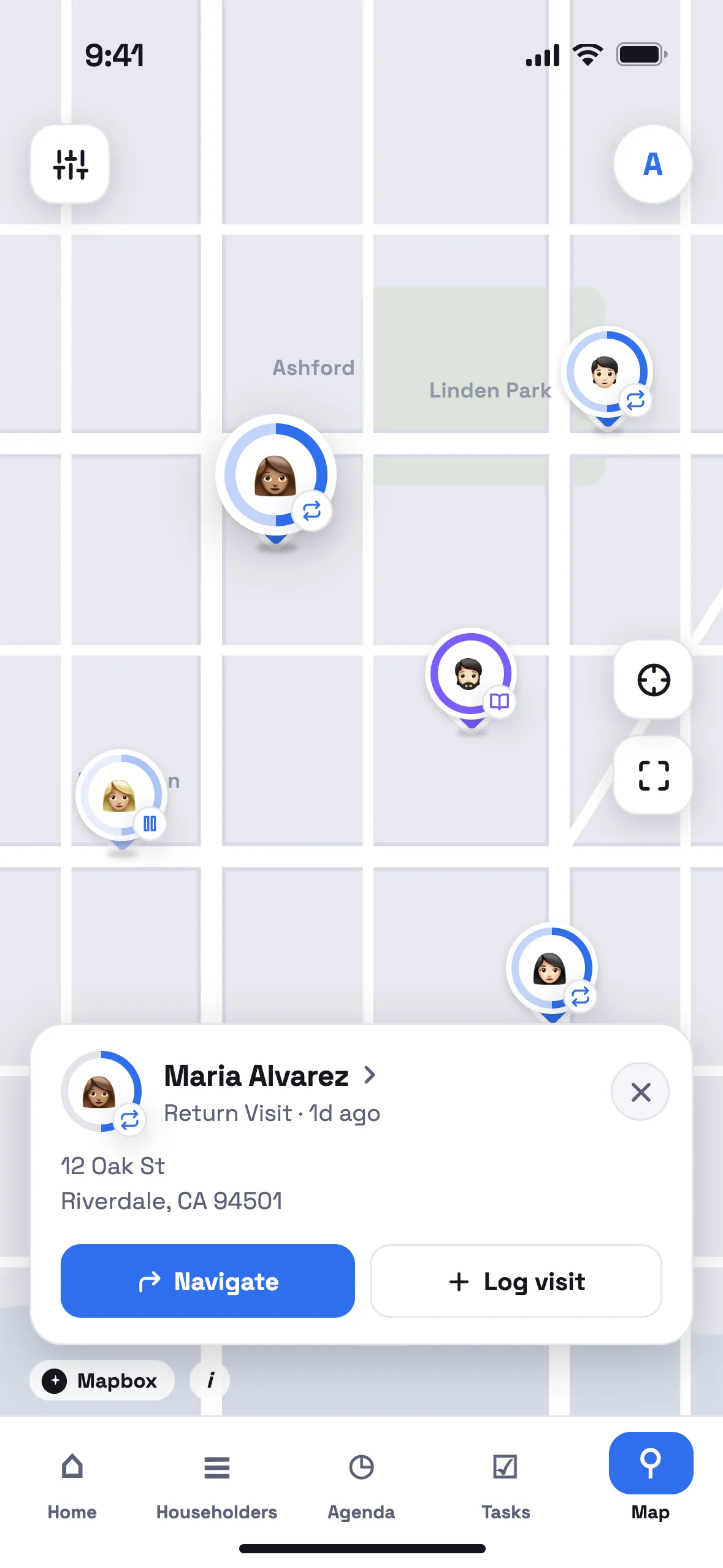
Every householder sits on a map of your territory. Finished early, or standing on a street you rarely reach? Householder shows who is nearby, their status at a glance, and when you last called.
Every name, address, and note is encrypted before it is stored, under a key that belongs to your account alone. Nothing you write about a householder is used for analytics, shared with other publishers, or sold.
Names, addresses, visits and notes are encrypted on our servers with a key that is yours alone.
Usage data is off unless you turn it on, and even then it carries no names, addresses or notes.
Log a visit with no signal. It syncs when you're back online.
Delete your account from Settings and every record goes with it.
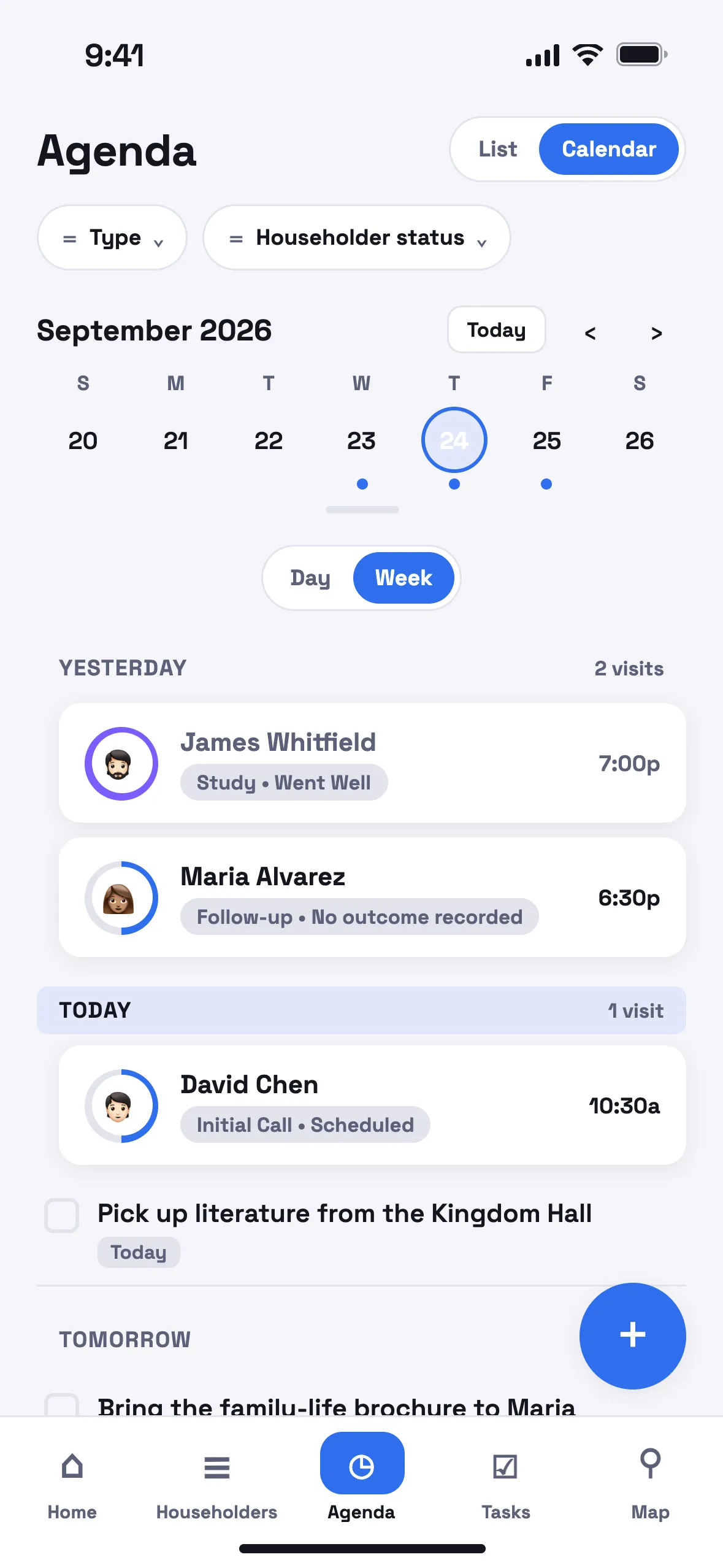
See your visits as a day, a week, a month, a simple list, or a full calendar — whichever way you think. Scheduling a return visit takes two taps, and Householder keeps the whole week in order for you.
It also watches for gaps. When a visit has had no follow-up for a week, or three calls in a row found no one home, a nudge appears on your Home screen.
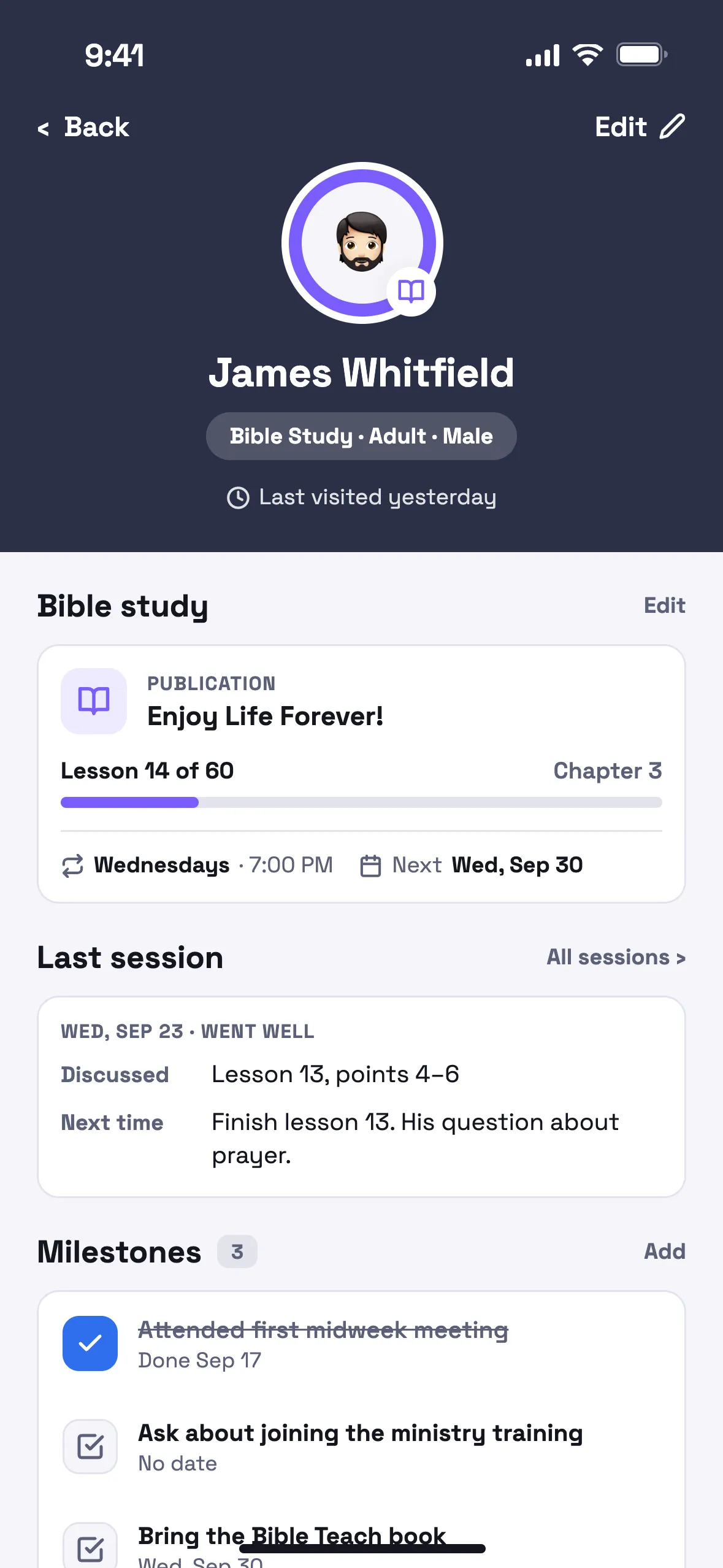
Move a householder from a first conversation to a return visit to an active Bible study, and keep every lesson, question, and sign of progress in one place.
Type scales up without breaking the layout, buttons are big enough to press with gloves on, and nothing important hides behind a gesture you have to be told about.
Join the waitlist and we'll write when Householder is ready to download: a welcome, the launch email, and at most one reminder. Free and private.